
ACP Agents
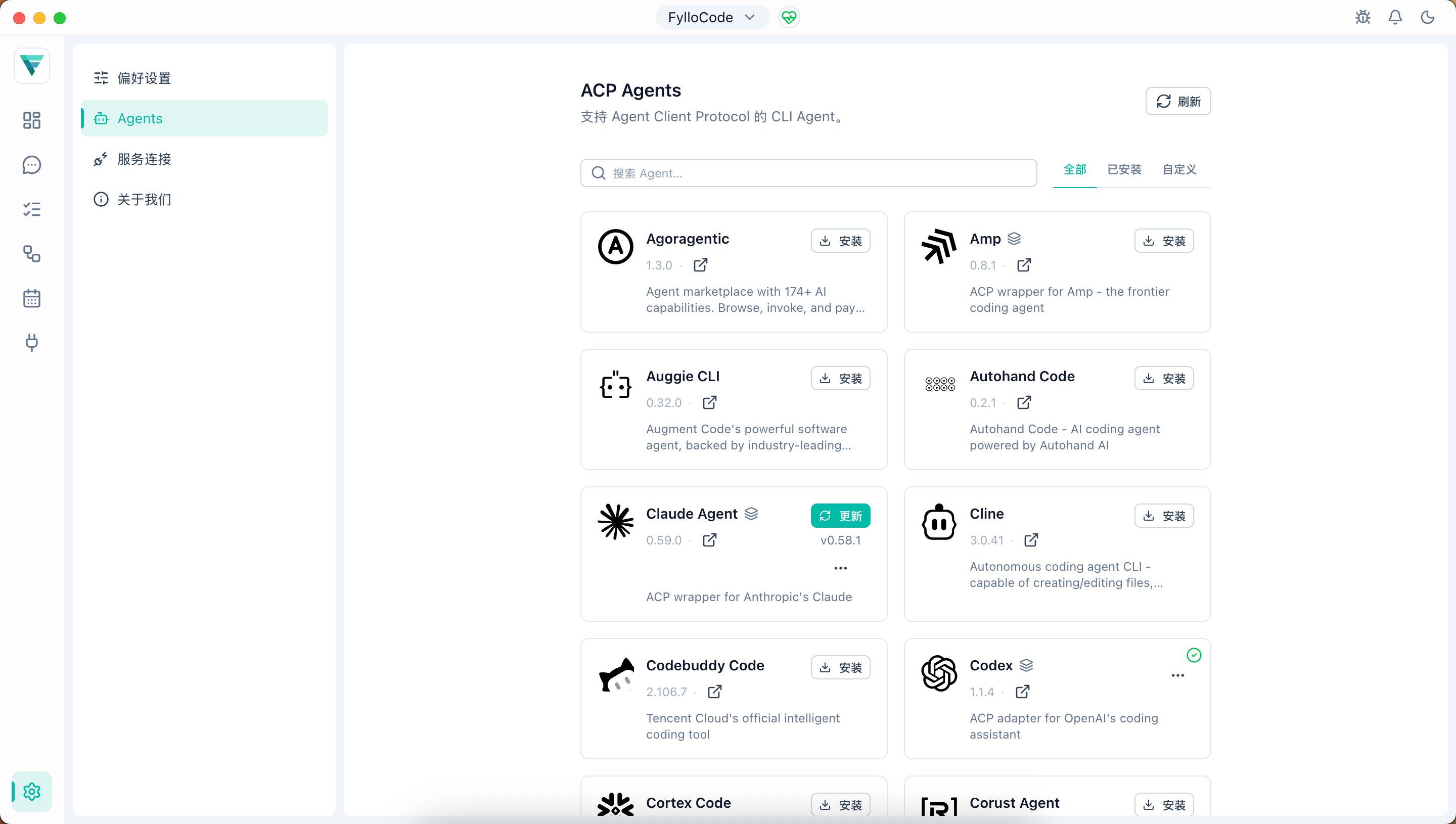
FylloCode connects different Coding Agents through Agent Client Protocol. The ACP Agents page under Settings is available at /settings/acp-agents; it shows available Agents from the registry and manages installation, updates, and local detection state.
Main Capabilities
- View Agents that support ACP
- Search Agents
- Install and update Agents managed by FylloCode
- Detect Agents already installed by the user
- Show version, license, author, and installation state
- Label Agent kinds with FylloCode semantics
- Configure a custom Agent that isn't in the registry
The page offers three filters: All, Installed, and Custom. The first two browse Agents from the ACP Registry; Custom is a separate JSON editing area.
Curated Catalog and Installation
FylloCode discovers and manages registry Agents only from its curated ACP Agent catalog. It no longer merges or falls back to the official Registry. A cache from another source is not shown as the curated list, and an Agent that exists only in historical installation records but is absent from the current catalog does not return to discovery or connection warmup. Custom Agents are unaffected by catalog membership changes.
Managed binary Agents can use ZIP, TAR, TAR.GZ/TGZ, and TAR.BZ2/TBZ2 archives without system unzip, tar, or bzip2 commands. When the catalog provides a SHA-256 digest, FylloCode verifies the download before extraction. An archive without a digest can still be installed, but is not presented as verified. Updates finish validation and extraction in a staging directory first, preserving the previous installation and record if the commit fails.
Agent Kinds
FylloCode labels ACP Agents with three kinds:
| Kind | Meaning |
|---|---|
native | A native ACP Agent with a complete implementation and no external CLI dependency. |
adapter | An independent adapter implementation that can share config or environment variables with the official CLI but does not call a local CLI at runtime. |
bridge | A bridge layer that performs work through a local command-line tool at runtime. |
See ACP Agent Kinds for detailed classification rules.
Custom Agents
If a Coding Agent supports ACP but hasn't been added to the registry yet, you can register it manually in the Custom tab so it appears in the Agent picker alongside registry Agents.
The configuration is edited as JSON, structured as an agent_servers map:
{
  "agent_servers": {
    "Kimi Code CLI": {
      "command": "~/.local/bin/kimi",
      "args": ["acp"],
      "env": {}
    }
  }
}| Field | Description |
|---|---|
command | Path to the Agent's executable. Supports ~ expansion and PATH lookup (required). |
args | Array of startup arguments, e.g. ["acp"] (optional). |
env | Extra environment variables, merged on top of the system environment (optional). |
Saved configuration is written to a local custom-agents.json. It is not synced to the registry and isn't covered by FylloCode's install/update management. Installing and upgrading the command itself remains your responsibility.
Connection Warmup and Reuse
After main-process startup completes, FylloCode prewarms every installed registry Agent and valid custom Agent in the background. Warmup starts the ACP process and completes initialize only. It does not create a Chat session or fetch Workspace-level configuration and commands early, and it still runs while only the Launcher is open.
Installing, upgrading, or saving custom Agents schedules incremental warmup for the affected connections. Before an upgrade, uninstall, or custom-Agent command, args, or env change, FylloCode intentionally stops the old process so the next connection uses the new runtime configuration. One failed Agent does not block window startup or other Agents. If you select an Agent while it is warming up, Chat joins the same in-flight connection instead of starting another process.
After successful initialization, FylloCode caches complete authentication, prompt, MCP, and session capability snapshots. Older prompt-only cache files remain readable and are gradually refreshed after Agents initialize successfully; no manual migration is required.
Multi-root ACP Sessions
A Workspace can contain up to 16 Projects. When an Agent advertises support for additional directories, FylloCode passes the primary Project and authorized additional Project directories when creating the ACP Session. The Session keeps the Workspace snapshot from creation; later member additions, removals, or relocations do not silently change a running Session's context. The Chat header scope popover distinguishes members in the current snapshot, members only in the latest Workspace, and stale members. See Multi-root Workspace for the full product model and cross-Project boundaries.
Cross-Agent Delegation
In FylloCode Session mode, an Agent with HTTP MCP support can use fyllo-spawn to list installed Agents and send focused work synchronously or in the background to another ACP Agent. The spawned Session reuses the target Agent's existing process pool and the parent Chat Session's fixed Workspace scope. It does not create a second authority model or expand to Projects added later.
Delegation is not started manually from the ACP Agents settings page. The current Chat Agent invokes it when the task boundary supports delegation. Chat can inspect trusted spawned Session state and output, but the current inspection surface is read-only.
Session Configuration Recovery
FylloCode saves the Agent-confirmed model, mode, thought level, and other session configOptions with session metadata. After an app restart or Agent reconnection, it restores values that are still supported by the current Agent schema before sending the first resumed prompt. Removed options, changed types, and invalid values fall back to the Agent's current valid value while other compatible options continue to recover.
If the Agent cannot confirm a still-compatible value, the current prompt ends through the existing ACP error path instead of silently using a default. Older sessions without persisted configuration continue through the previous recovery flow and require no migration.