
Getting Started
Install the Desktop App
Download the installer for your platform from GitHub Releases:
FylloCode is a desktop app designed for working directly with local codebases. The current new-version notice opens the Release page for users to download installers manually. It is not a background auto-update system.
Open a Project or Workspace
After launching FylloCode, choose a local repository as a Project in the Launcher, or organize multiple Projects into one Workspace. See Multi-root Workspace for the “one window, multiple Projects, one Agent context” model. Starting with a Project that already has clear engineering rules is recommended, because fyllo-specs and fyllo-cortex can work better with existing structure.
If the project has no OpenSpec structure, FylloCode creates the minimum structure when creating a proposal:
openspec/config.yamlopenspec/specs/openspec/changes/archive/
Install or Detect Agents
Open ACP Agents in settings, then install or detect available Coding Agents.
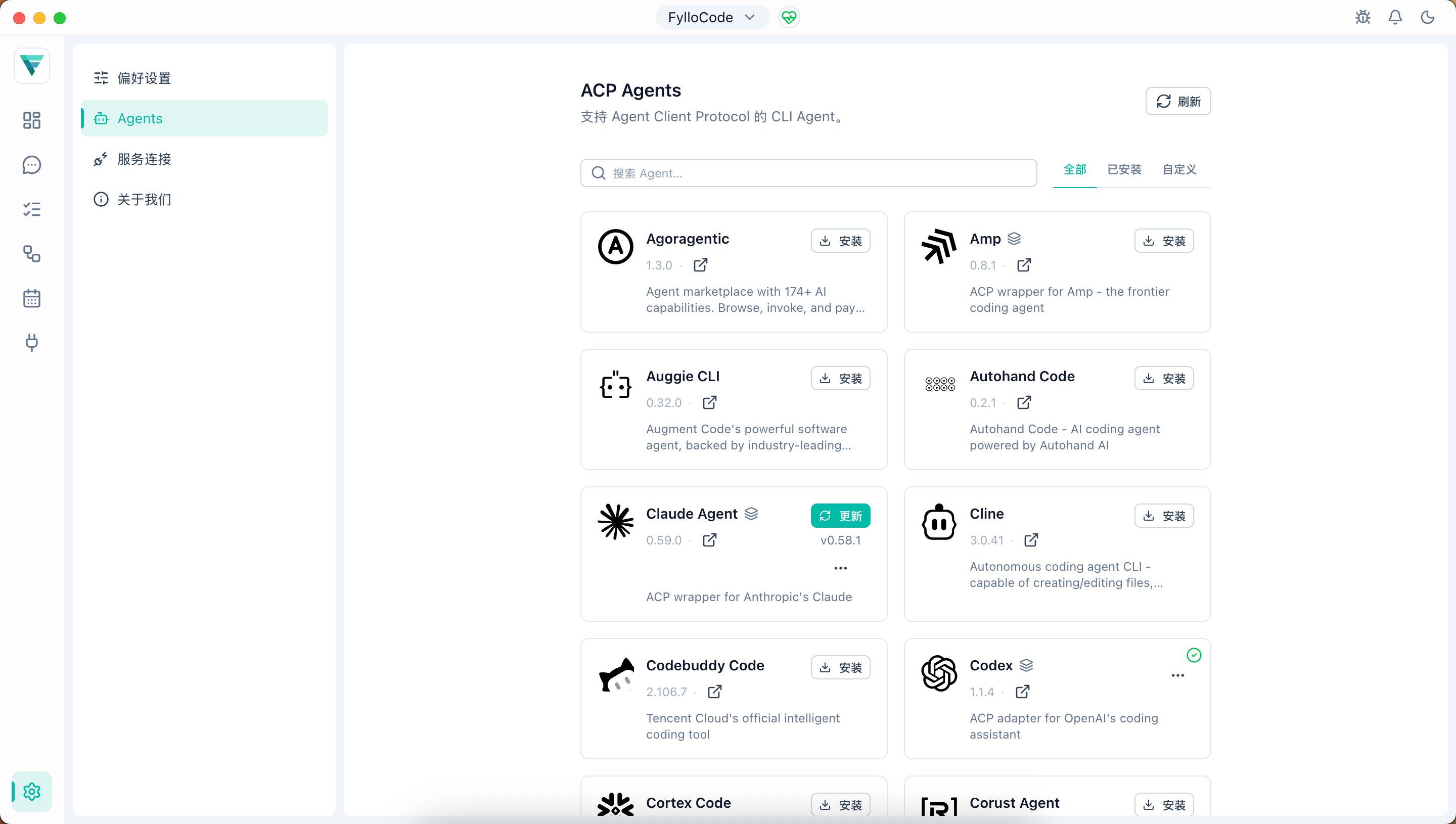
FylloCode connects different Agents through Agent Client Protocol. Agents are displayed as native, adapter, or bridge. See ACP Agent Kinds for the classification meaning.
Create a Task
Open the Task Board and create a local task, or read tasks from a connected engineering system.
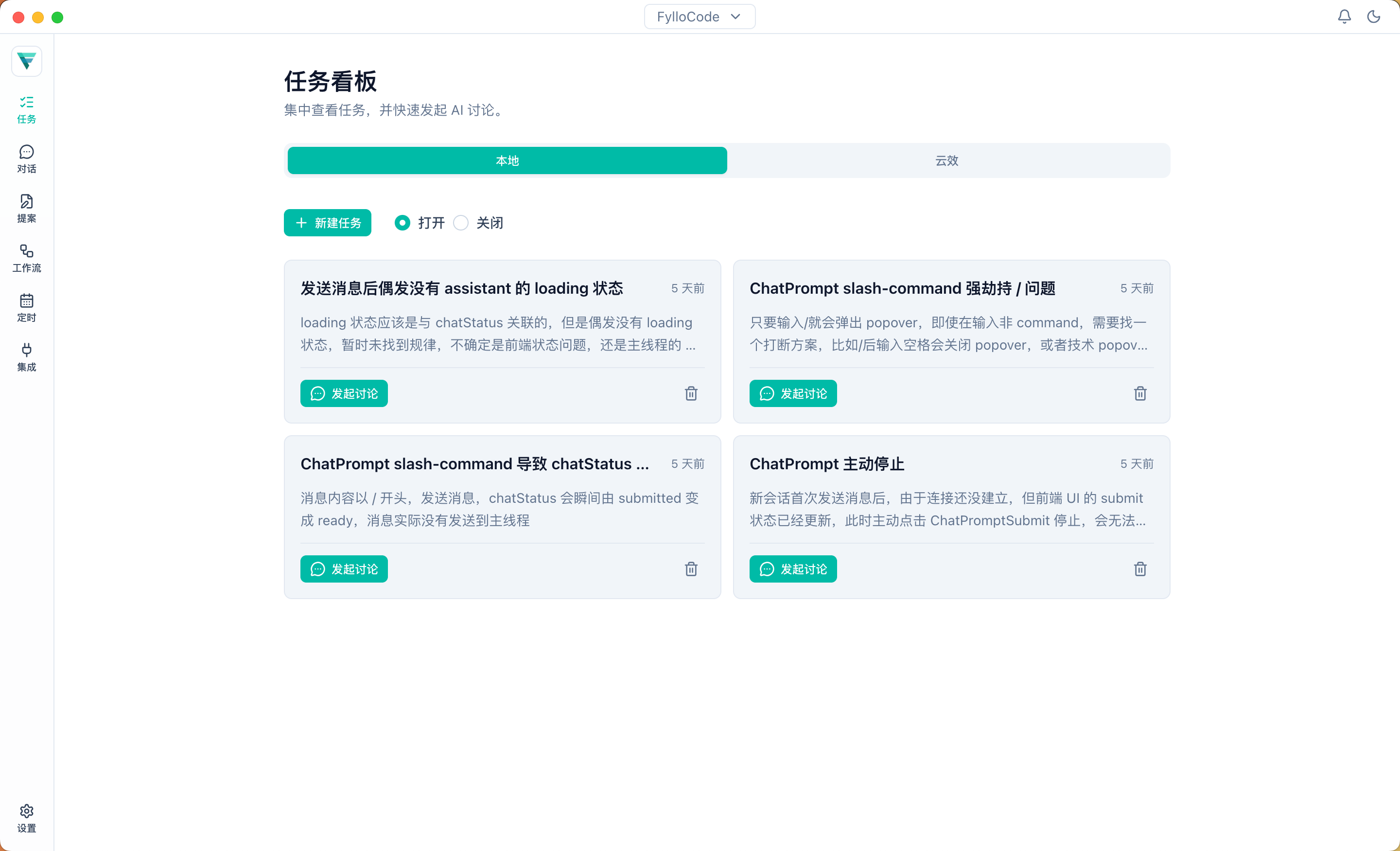
A good Task should include at least:
- Task background
- Impact scope
- Clear constraints
- Verifiable acceptance criteria
- Known risks or open questions
Converge on a Plan in Chat
Open Chat from the task context. Let the Agent analyze requirements, inspect code evidence, guide tradeoffs, and settle the plan with you before entering Proposal. Accepted and rejected ideas are preserved along the same path.
Enter Proposal
Once the plan is confirmed in Chat, the next step is choosing direct implementation, Plan, or Proposal, depending on whether the change touches a public API, schema, protocol, persistence format, user-visible behavior, or ownership boundary. For your first run, pick a change that triggers a Proposal so you experience the full review-and-archive value.
After asking the Agent to create a proposal, it usually generates four artifacts:
| Artifact | Purpose |
|---|---|
proposal.md | Explains background, new capabilities, changed capabilities, and affected modules. |
design.md | Records goals, non-goals, key decisions, and rejected options. |
specs | Extracts and writes back the project specifications involved in this change. |
tasks.md | Breaks implementation work and acceptance criteria down by files and functions. |
Run Apply and Archive
After Proposal review passes, execute the implementation according to tasks.md. After implementation, archive the code change scope, decision context, spec updates, and guideline evolution as background knowledge for the next task.
For your first run, choose a small change and walk through Task -> Chat -> Proposal -> Apply & Archive. This makes FylloCode's value visible quickly and exposes unclear areas in the rules of your Workspace Projects.