
Multi-root Workspace
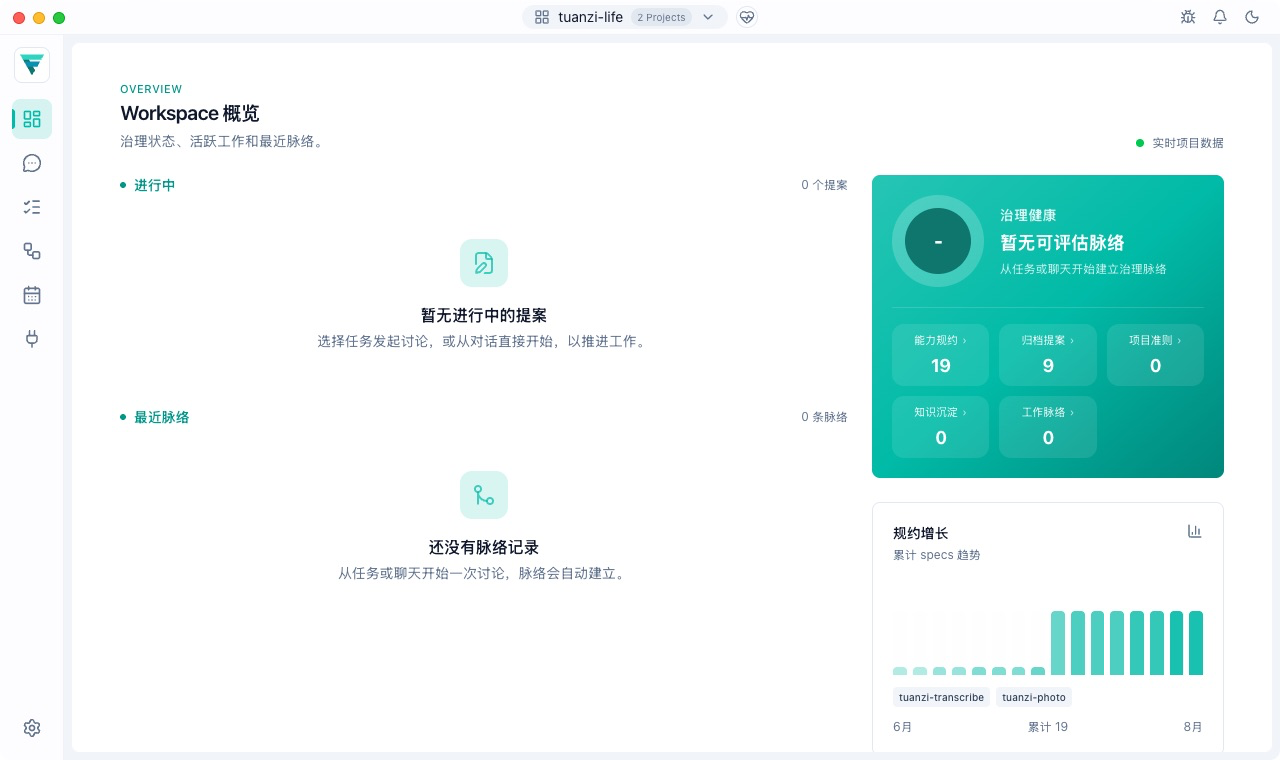
A FylloCode Workspace puts multiple Projects in one window and gives Chat, Tasks, and governance data a shared context. For work that spans codebases, an Agent with additional-directory support can read several authorized project directories in one Chat Session. You can keep the discussion in one place instead of switching windows or repeating the relationship between Projects.
The problem it solves
A single-project-folder model works well for most single-repository tasks, but cross-project problems often require looking at a caller and a service, an application and a shared library, or code and documentation together. When those directories are opened separately, the Agent receives separate contexts as well, so the user has to switch windows and repeatedly explain how the projects relate.
A multi-root Workspace lets related Projects share one working window. Start one discussion around the problem, let the Agent understand multiple Projects within the authorized scope, and return the result to each Project's own boundary.
Three core concepts
| Concept | Role |
|---|---|
| Project | A Workspace member representing one project directory and its stable identity. |
| Workspace | A window-level working context containing 1–16 Projects and one primary Project. |
| Session scope | The authorization snapshot fixed when a Chat Session is created, including the primary Project and other available authorized Projects. |
A Workspace can start with one Project and grow to include others. Member order and the primary Project affect the directory scope of future Sessions, but they do not change Sessions that already exist.
How an Agent reads multiple Projects
FylloCode sets the directory scope for a multi-root Chat Session in four steps:
- Open or create a Workspace in the Launcher and add the Projects you need to work with.
- When Chat creates a Session, FylloCode records the Workspace members, paths, and primary Project at that moment as a fixed Session scope.
- If the selected Agent advertises support for additional directories, FylloCode passes the primary Project as the working directory and the other authorized Projects as additional directories to the ACP Session.
- FylloCode's bundled MCP and file preview use the same authorization scope; the Agent cannot expand read access by submitting arbitrary paths.
Simultaneous access to multiple Projects requires two conditions: the Projects must belong to the current Workspace, and the Agent must support additional-directory capability. If an Agent does not support it, the Session can still run in the primary Project, but it will not access the other Projects.
A fixed Session scope
A Workspace can be edited, but a running Session does not drift with those edits:
- After a Session is created, adding, removing, reordering, renaming, or relocating a Project does not silently change that Session's directory scope.
- The Chat-header scope popover shows the Projects, paths, and primary-Project marker in the Session snapshot, and warns when the current Workspace differs from it.
- If a snapshot Project is removed, its path disappears, or it is relocated, FylloCode does not silently replace the path or trim the authorization. Resolve the stale state or create a new Session instead.
The Agent therefore sees a stable code boundary throughout the task, and a Workspace edit cannot change work already in progress.
Multi-root does not mean unbounded writes
Multi-root Workspace solves the shared-context problem without erasing Project ownership:
- A Chat Session can read multiple Projects when the Agent supports it and the authorization is valid.
- Repository-owned content such as Specs, guidelines, Proposals, and Git history remains owned by its Project; multi-root operations must identify the relevant Project.
- Proposal Apply and Archive still run only in the Proposal's owning Project or a registered worktree. Having multiple Workspace members does not make writes cross-project.
- Knowledge belongs to the Workspace and can be shared across Projects, Tasks, and Sessions; repository evidence still retains its Project owner.
How a Cross-Project Goal Enters Proposal
When one goal affects several Projects, the Agent first separates the expected work into repository-local scopes, then chooses Direct, Plan, or Proposal for each Project independently. A public API, schema, or spec change belongs to the Project that owns the authoritative contract or spec. Adaptation work stays in the consuming Project and follows its own path based on its contract impact and complexity.
If several Projects meet the Proposal threshold, the Agent lists each Project, the specific contract change that requires a Proposal, and any known cross-repository dependency or execution order before calling create-proposal. After you confirm that explicit set, the Agent creates one repository-owned Proposal per Project and supplies the matching folderId. FylloCode does not create a primary-Project umbrella Proposal, and Projects below the Proposal threshold can still use Direct or Plan.
Each Proposal's proposal, design, specs, and tasks describe only the owning Project's contracts, files, and verification. Cross-Project prerequisites belong in the related design or tasks, but another Project's code changes do not become part of the current Proposal.
Good Fits for a Multi-root Workspace
- Investigating an interface problem across a frontend, backend, and shared library
- Comparing application code with a component, script, or documentation repository
- Understanding several related Projects before creating separate Proposals for the relevant owners
- Reusing cross-Project background knowledge in one Workspace
To get started, read Getting Started for opening a Project or Workspace. Then see Chat and Execution for Session scope, ACP Agents for Agent capability limits, and Project Overview for the Workspace aggregate view.