
Proposal Review
The Proposal page is one of FylloCode's core workspaces. It brings together a change plan, design notes, task breakdown, and archive state.
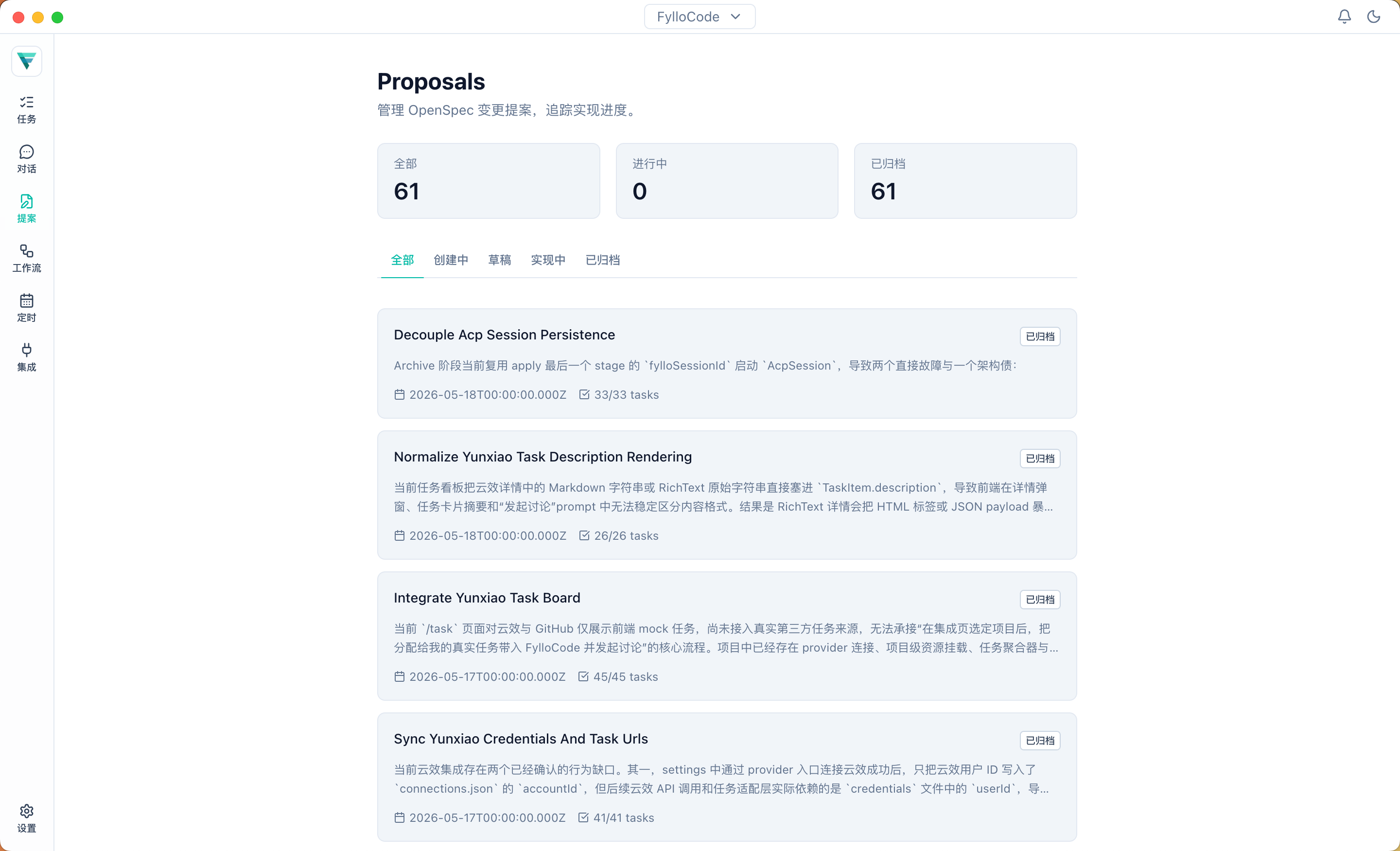
Proposal List
The list page shows the complete Proposal set across the current Workspace's Projects. You can filter by Project, and every item displays its repository-owned identity. The page does not use status tabs to hide draft, applying, or archived Proposals. The same change name in two Projects still represents two separate Proposals.
A cross-Project goal is not merged into a primary-Project umbrella Proposal. The Agent chooses Direct, Plan, or Proposal independently for each Project. If several Projects need Proposals, it lists the owners, specific contract changes, and cross-repository dependencies for confirmation, then calls create-proposal once per Project. Each Proposal contains only its owning Project's contracts and tasks; cross-Project prerequisites are recorded as dependencies.
Proposal Detail
The detail page usually includes:
- Proposal: why this change is needed, what changes, and which modules are affected
- Design: key design decisions, non-goals, and rejected options
- Tasks: the work items for Apply & Archive
- Run status and panel: Agent output from Apply & Archive when an existing run record is available
The detail Slideover is for reviewing artifacts and inspecting status. Its header no longer starts Apply, Archive, or run history directly. Continue lifecycle work from the Chat Session that created the Proposal.
Moving Apply & Archive Through Chat
The Proposal card in the Chat session event rail exposes the lifecycle action currently available:
- A draft Proposal shows Start Applying. Selecting it sends an owner-qualified user message with the
changeIdandfolderIdto the current Chat, where the Agent enters Apply. - During Apply, FylloCode watches
.openspec.yamlandtasks.md. The card and detail view show Ready to Archive only when status isapplying, at least one task exists, and every task is complete. - Archive also sends an owner-qualified user message instead of changing state directly in the Renderer. After Archive actually completes, the Main watcher reloads Proposal metadata and updates the session event rail.
A linked Proposal can appear in the linked worktree archive first, then move into its owning Project's main worktree when the commit merges. FylloCode treats those paths as one Proposal relocation; deleting the old worktree does not misreport a Proposal already present in the main archive as removed.
Review Focus
When reviewing a Proposal, focus on:
- Whether the task context is accurate
- Whether the plan covers the real problem
- Whether non-goals are explicit enough
- Whether rejected options and reasons are recorded
- Whether tasks are executable and verifiable
- Whether the impact scope matches project rules
- Whether the Proposal belongs to the correct Project and its
folderIdmatches the repository location - Whether cross-Project dependencies are explicit and tasks avoid modifying files owned by another Project
After approval, return to the Chat Session that created the Proposal and enter Apply & Archive from its event rail. This reduces the cost of discovering plan mistakes during implementation.