
Knowledge
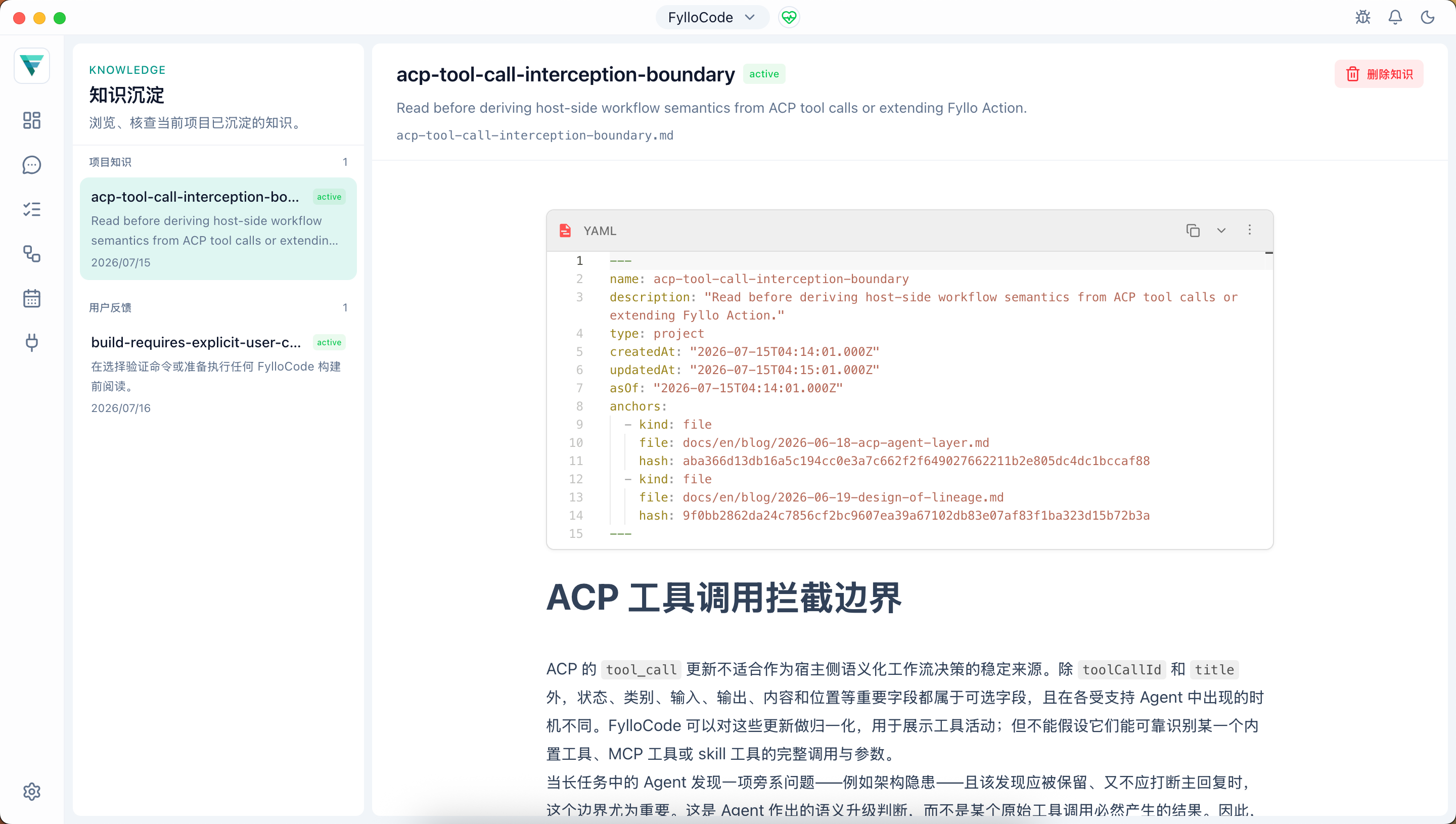
The Knowledge page lets you browse and audit knowledge entries captured for the current Workspace. Entry content is displayed read-only; entries are created and updated by the Agent during a session through the knowledge tool on fyllo-cortex, while entries you no longer need can still be deleted from the page. Knowledge belongs to the Workspace rather than directly to one Project.
What gets captured
Knowledge is not a chat transcript summary. It captures facts that a future session would pay for if lost: facts that would need to be re-derived, re-read from code or docs, or could be misunderstood. The Agent applies a judgment test (informally, the "flag test") during a session to spot this kind of information. Common shapes include:
- Surprise: an investigation shows that reality contradicted a reasonable assumption
- Disproportionate cost: a long investigation or read ends in a conclusion far smaller than the material examined
- User directive: an instruction or correction from you that applies beyond the current task
- Non-derivable background: business or historical context only you could supply
Ordinary task instructions, facts cheaply re-derivable from code, specs, or guidelines, temporary debugging state, and secrets or personal data are never captured.
How it shows up in a conversation
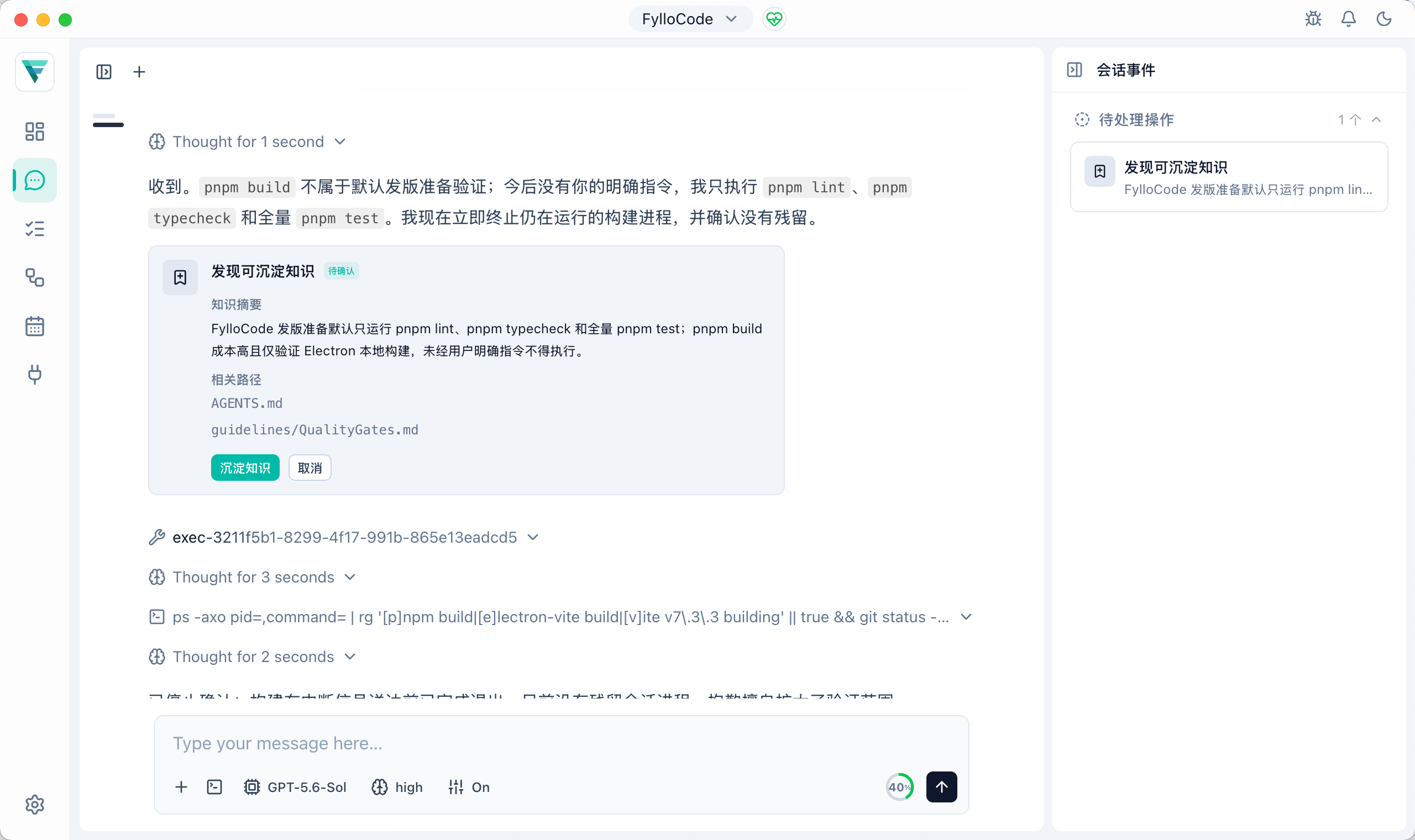
When the Agent spots a candidate fact, it places a knowledge.flag card in its reply, and the session event rail also summarizes the pending item. This low-cost bookmark doesn't interrupt the discussion or need an immediate response. The rail is display-and-navigation only; when you confirm any pending flag card in the chat transcript, FylloCode bundles every pending flag in that session into one capture request and hands it to the Agent to write as a formal knowledge entry.
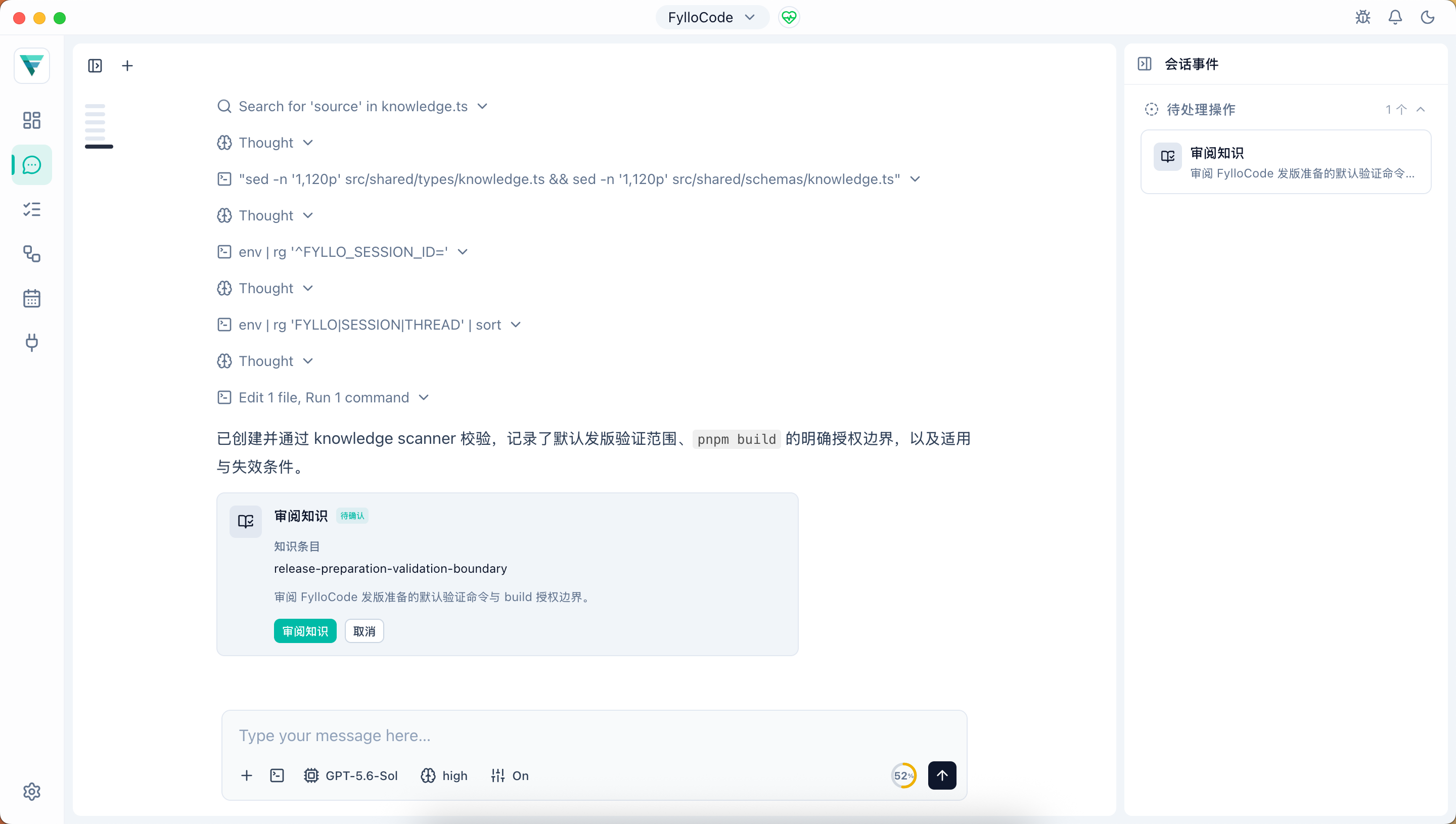
Once the Agent finishes writing an entry, it validates the entry with the knowledge scanner and then places a knowledge.review card.
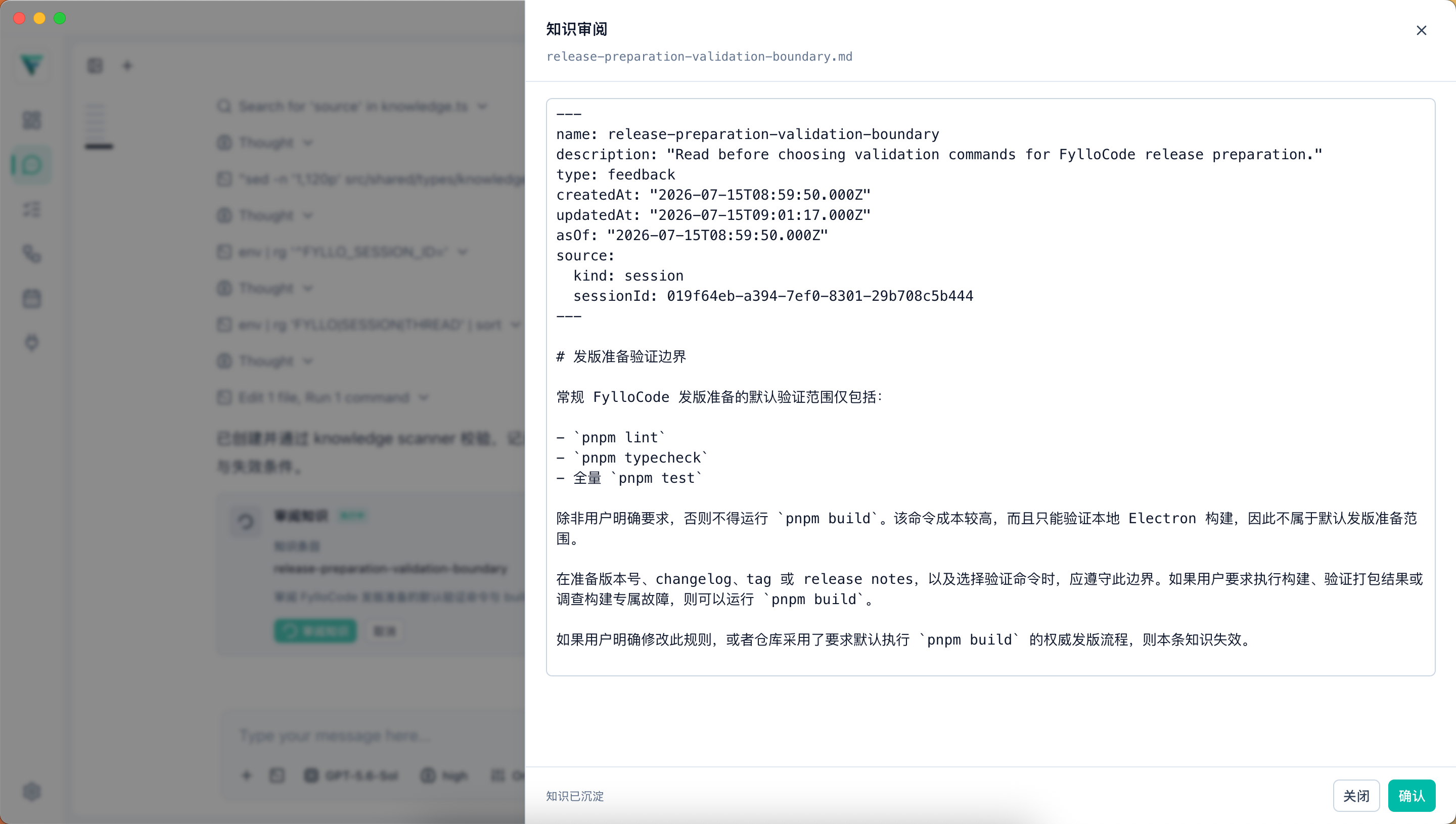
Confirming that card opens the entry's latest saved content from disk for review. You can edit the full Markdown source directly in the dialog; changes are saved as you type, and confirmation waits for the final save to finish. For the full interaction rules behind these two cards, see fyllo-action.
Page layout
The left panel lists every knowledge entry in the Workspace, grouped by type (project, reference, feedback). The right panel shows the selected entry's content. If an entry cites repository files or other evidence, its Project/Folder owner remains visible. A suspect or unknown marker means the entry may be stale or its source is uncertain. Verify it before relying on it.
Entries can be deleted; deletion cannot be undone.
Relationship to lineage
A knowledge entry is not attached to one lineage subject. It is shared across Projects, tasks, and sessions rather than being the output of one specific change. Together with guidelines, it forms the background that fyllo-cortex provides to future Agent sessions. Repository evidence retains its Project/Folder owner. See the fyllo-cortex reference for storage, indexing, and the judgment criteria.