
Specs
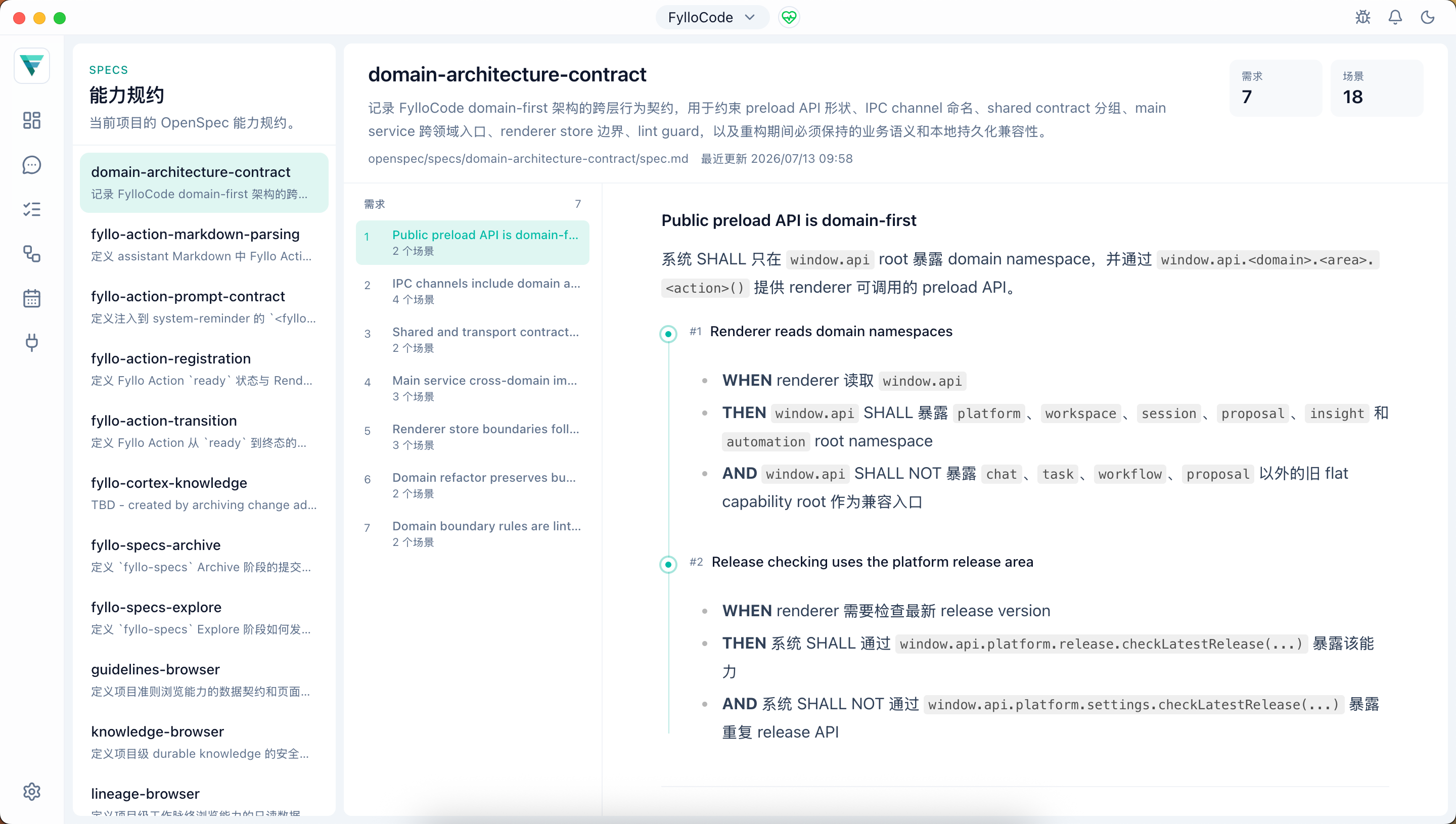
The Specs page lets you browse OpenSpec capability specs from the authorized Projects in the current Workspace (spec.md files under each repository's openspec/specs/). The page is read-only; spec content is synced automatically when a Proposal is archived in its owning Project.
What specs are
A spec describes the requirements and acceptance scenarios for one capability of the project. It's the formal contract that comes out of a Proposal that took the OpenSpec path. When a Proposal is archived, its capability changes merge into the corresponding spec file and become part of the project's specs. Only Proposal-path changes that touch requirements or contracts produce a new spec.
Page layout
The left panel groups Workspace specs by Project and shows the capability ID, owner, and Purpose summary. The right panel shows the selected spec's full list of requirements, each expanding into its acceptance scenarios, with anchor navigation to jump to a specific requirement in a long document. Missing or failed Projects are shown as local status instead of being presented as empty repositories.
Relationship to Proposal
A spec is the result of a Proposal that has been reviewed and archived, not a draft from the review itself. Spec changes under review appear in the Specs tab on the Proposal detail page, while related design and execution breakdowns live in the Design and Tasks tabs. Only after archiving are those spec deltas merged and reflected here. To find out a capability's current formal contract, check this page rather than a historical Proposal.