
Workflow Orchestration
The Workflow page turns your team's execution stages into YAML templates. It is useful for describing what happens after Proposal: implementation, review, archive, or follow-up actions.
Design Principles
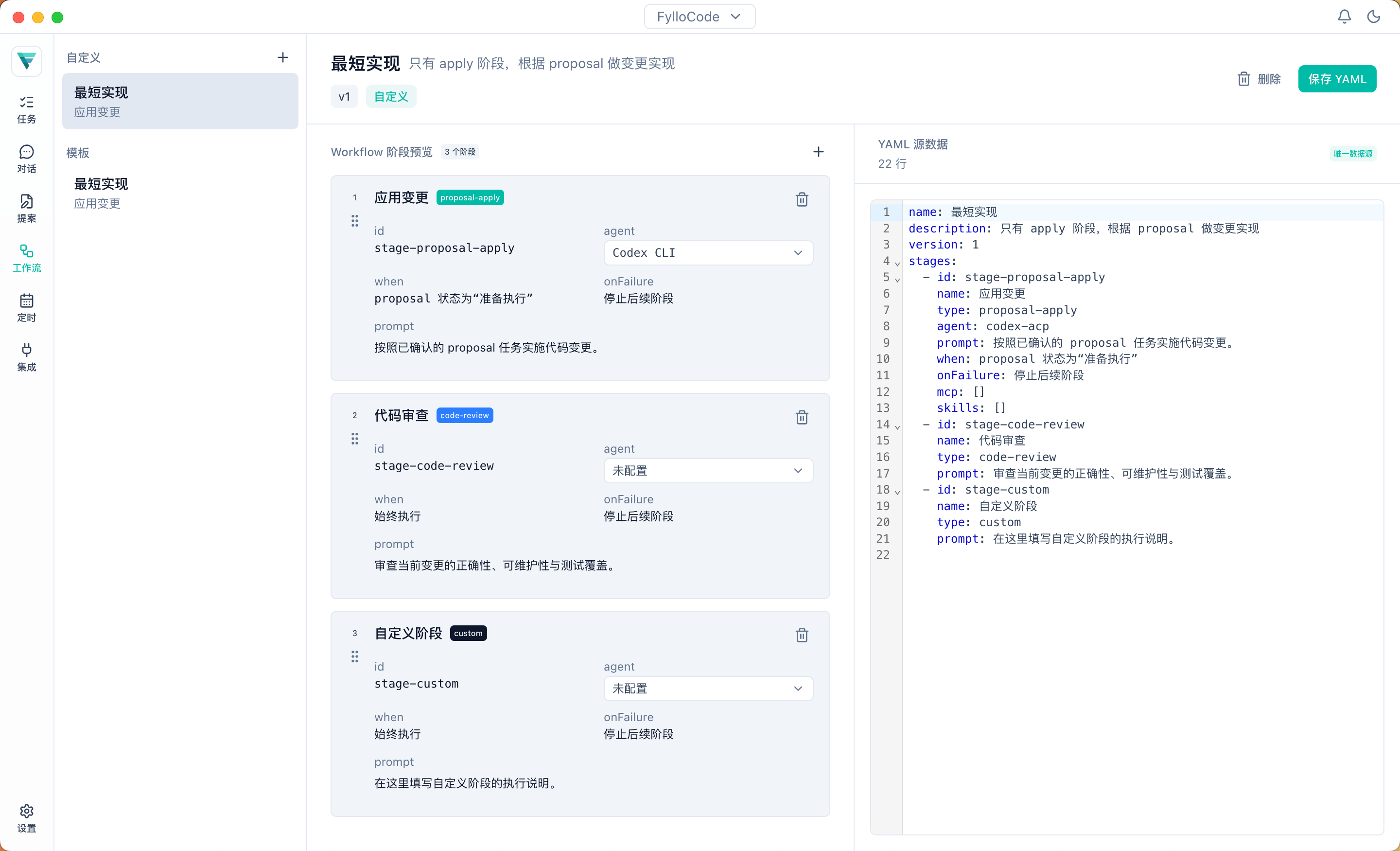
The Workflow editor uses YAML as the only data source. The left side renders a stage preview from YAML, and the right side shows the YAML source.
This design has two benefits:
- Teams can review and version workflow configuration directly.
- UI operations and source editing do not create two separate states.
Supported Operations
Custom workflows support:
- Create a template
- Append a stage
- Delete a stage
- Drag to reorder
- Switch the Agent used by a stage
- Edit YAML directly
- Save or delete a custom template
Built-in templates are read-only by default. Saving a built-in template creates a new custom copy, leaving the original unchanged.
Configuration Format
See Workflow Configuration for YAML fields and stage types.